> ## Documentation Index
> Fetch the complete documentation index at: https://docs.nihalxkumar.dev/llms.txt
> Use this file to discover all available pages before exploring further.
# Arch MCP Server
> AI-powered bridge to the Arch Linux ecosystem with safe package management and security-first workflows
# Arch MCP Server
[](https://pepy.tech/projects/arch-ops-server)
**Version:** 3.4.0 | **License:** GPL-3.0-only OR MIT
**Disclaimer:** Unofficial community project, not affiliated with Arch Linux.
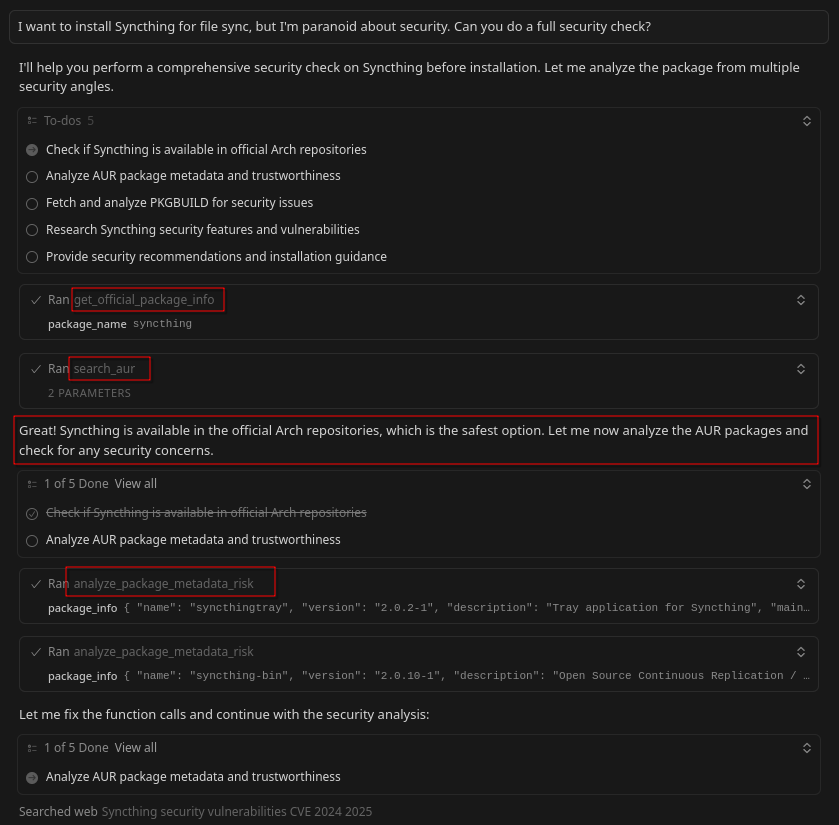
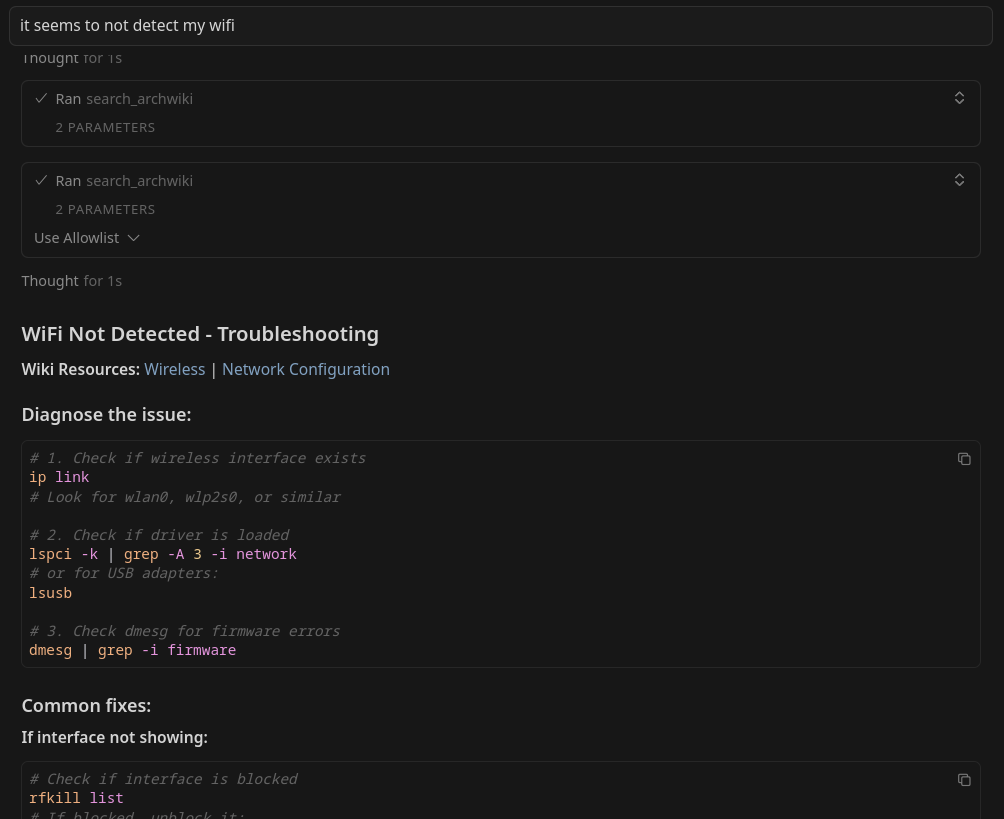
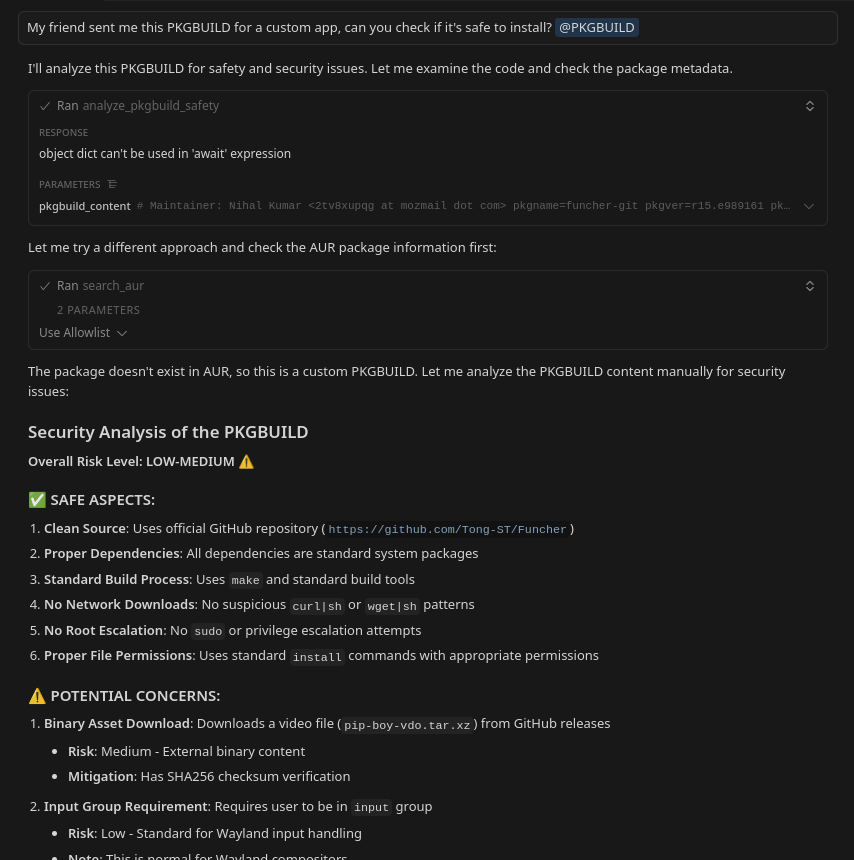
A [Model Context Protocol](https://modelcontextprotocol.io/) (MCP) server that bridges AI assistants with the Arch Linux ecosystem. Enables intelligent, safe, and efficient access to the Arch Wiki, AUR, and official repositories for AI-assisted Arch Linux usage on Arch and non-Arch systems.
Leverage AI to get digestible, structured results that are ready for follow-up questions and actions.
 ## What it does
Arch MCP provides three main capabilities:
* **🔍 Resources** - URI-based access to Arch Wiki, AUR packages, official repos, and installed packages
* **🛠️ Tools** - Search, analyze, and securely install packages with built-in safety checks
* **📋 Prompts** - Guided workflows for troubleshooting, security audits, and dependency analysis
Direct data access through URI schemes
Executable functions for specific operations
Intelligent multi-step workflows
View detailed documentation of all resources, tools, and prompts
## Next Steps
Ready to get started? Follow the installation guide:
Step-by-step installation instructions
## Advanced Topics
Learn about safety checks and PKGBUILD analysis
Deep dive into design philosophy and system architecture
## For Developers
Set up your dev environment and run tests
Coding standards and best practices
How to submit contributions and PRs
## License
This project is dual-licensed under your choice of:
* **[GPL-3.0-only](https://www.gnu.org/licenses/gpl-3.0.en.html)** - For those who prefer strong copyleft protections
* **[MIT License](https://opensource.org/licenses/MIT)** - For broader compatibility and adoption, including use in proprietary software and compatibility with platforms like Docker MCP Catalog
You may use this software under the terms of either license. When redistributing or modifying this software, you may choose which license to apply.
***
Built with ❤️ for the Arch Linux community
## What it does
Arch MCP provides three main capabilities:
* **🔍 Resources** - URI-based access to Arch Wiki, AUR packages, official repos, and installed packages
* **🛠️ Tools** - Search, analyze, and securely install packages with built-in safety checks
* **📋 Prompts** - Guided workflows for troubleshooting, security audits, and dependency analysis
Direct data access through URI schemes
Executable functions for specific operations
Intelligent multi-step workflows
View detailed documentation of all resources, tools, and prompts
## Next Steps
Ready to get started? Follow the installation guide:
Step-by-step installation instructions
## Advanced Topics
Learn about safety checks and PKGBUILD analysis
Deep dive into design philosophy and system architecture
## For Developers
Set up your dev environment and run tests
Coding standards and best practices
How to submit contributions and PRs
## License
This project is dual-licensed under your choice of:
* **[GPL-3.0-only](https://www.gnu.org/licenses/gpl-3.0.en.html)** - For those who prefer strong copyleft protections
* **[MIT License](https://opensource.org/licenses/MIT)** - For broader compatibility and adoption, including use in proprietary software and compatibility with platforms like Docker MCP Catalog
You may use this software under the terms of either license. When redistributing or modifying this software, you may choose which license to apply.
***
Built with ❤️ for the Arch Linux community